 You can see it again
Under pressure people bring back shapes and positions long after the wording has gone.
Picture superiority · Shepard 1967, Standing 1973 Examers.io
 COMPTIA
The CompTIA IT Fundamentals+ (ITF+) certification is the essential starting point for anyone exploring a career in technology. It validates foundational knowledge and hands-on skills across computing basics, infrastructure, applications, software development, databases, and security. Earning ITF+ gives you the confidence to take the first step toward a tech-related career and a strong foundation for future learning and growth.
Content last reviewed 30 July 2026 · Up to date
What this certification covers, who it is written for, and what the exam itself looks like on the day.
What it validates, who it is written for, and the experience it assumes.
The CompTIA IT Fundamentals+ (ITF+) certification is designed for individuals who are considering a career in IT or who want to build a solid understanding of the technology that powers the modern world. It focuses on practical, real-world skills, helping you understand core tech concepts, troubleshoot basic issues, and build a strong foundation for future learning and growth in the tech industry.
This certification covers a broad range of foundational topics, including computing basics, infrastructure, applications and software, software development concepts, data and database fundamentals, and security. By earning ITF+, you demonstrate that you have the essential knowledge and skills needed to navigate today's digital world, making it an ideal first step for students, career changers, and professionals in non-technical roles who work alongside IT.
The CompTIA IT Fundamentals+ (ITF+) certification is for anyone exploring a career in technology or looking to build a foundational understanding of IT concepts. It is particularly well-suited for students, career changers, and professionals in non-technical roles who want to demonstrate their digital literacy and readiness for more advanced IT training. No prior experience is necessary to pursue this certification. It is the perfect starting point for those who want to confirm their interest in IT before committing to a more specialized career path, such as help desk support, network administration, or cybersecurity.
No prior experience is necessary. This certification is designed for individuals who are new to IT and want to build foundational knowledge and skills. Basic familiarity with computers and common software applications; An interest in learning how technology works and how to troubleshoot common issues
Every domain and objective CompTIA measures, with the weight they carry on the exam.
The official CompTIA exam outline · checked 30 July 2026 · See the source
Everything CompTIA publishes about sitting it, and nothing we inferred.
No mandatory prerequisites — this certification has no required predecessor exam or credential.
The path CompTIA lays out, how the credential is kept, and where to book.
Step-by-step path to CompTIA IT Fundamentals+ (ITF+)
Credential earnedCompTIA IT Fundamentals+ (ITF+) Fundamentals level certificationCompTIA certifications must be renewed every three years through Continuing Education Units (CEUs) or by retaking the current exam. Stay current with the latest technologies and maintain your certification.
Learn more about renewal requirementsThis certification is currently active and available. CompTIA maintains this certification to validate current skills and industry relevance.
Register for the exam through Pearson VUE, CompTIA’s authorized testing partner.
Schedule your examVisit the official CompTIA certification page for exam policies and requirements.
View the official pageYour coach in the app reads what you have answered with the book closed and tells you one thing to do tonight. It will not count an answer you gave with the page open, and it will tell you when you are not ready.
See how the coach worksNo, ITF+ is not a mandatory prerequisite for any other CompTIA certification. It is designed as an entry-level certification to build foundational knowledge, but you can pursue other certifications like A+ or Network+ without first earning ITF+.
Tech+ is the successor to ITF+ and represents an updated version of the entry-level certification. While ITF+ focused on foundational IT concepts, Tech+ (V6) includes updated content on topics like artificial intelligence and reflects the current technology landscape. Candidates should check the specific exam objectives for each to determine which is more appropriate for their goals.
You can schedule your ITF+ exam directly through Pearson VUE, either online or at a local test center. You will need to create a Pearson VUE account and select a convenient date and time for your exam.
CompTIA's standard retake policy applies. You must wait a period of time before retaking a failed exam. For specific waiting periods and any applicable fees, it is best to consult the official CompTIA retake policy on their website.
The ITF+ exam primarily uses multiple-choice questions. However, CompTIA exams often include performance-based questions that require you to solve problems in a simulated environment. The exact question types are detailed in the exam objectives.
ITF+ is designed for individuals exploring a career in IT, including students, career changers, and professionals in non-technical roles. It validates foundational knowledge that can lead to entry-level roles such as help desk support specialist, IT support technician, or field service technician.
Yes, passing a higher-level CompTIA certification exam, such as A+, Network+, or Security+, will automatically renew your ITF+ certification. This is a common way to maintain your credentials while advancing your career.
Every domain, every objective, and every concept CompTIA measures — each one written out.
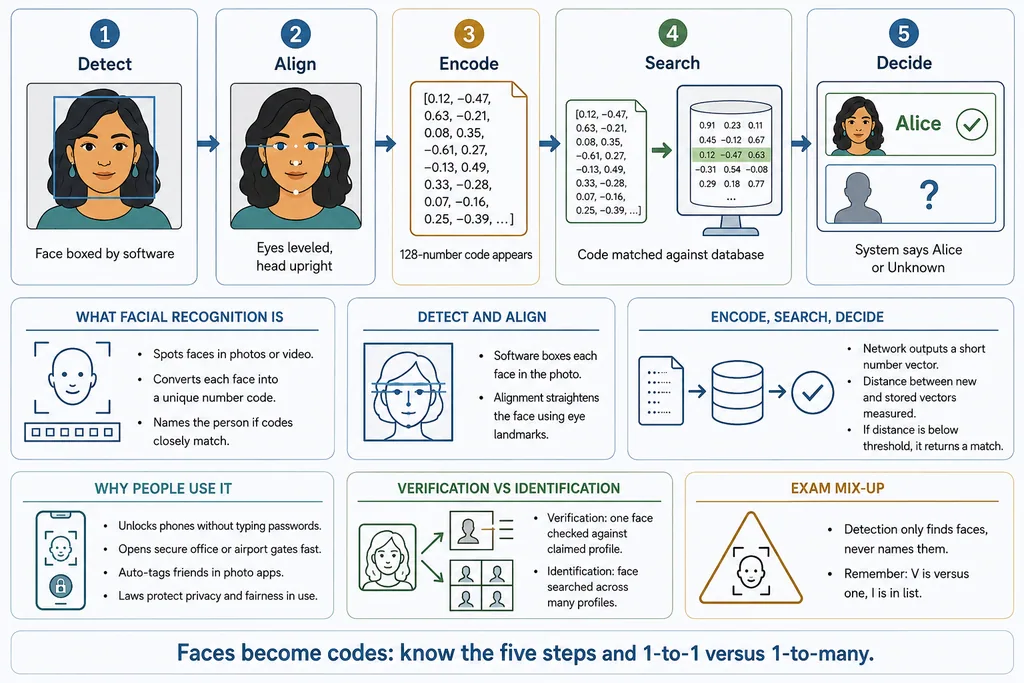
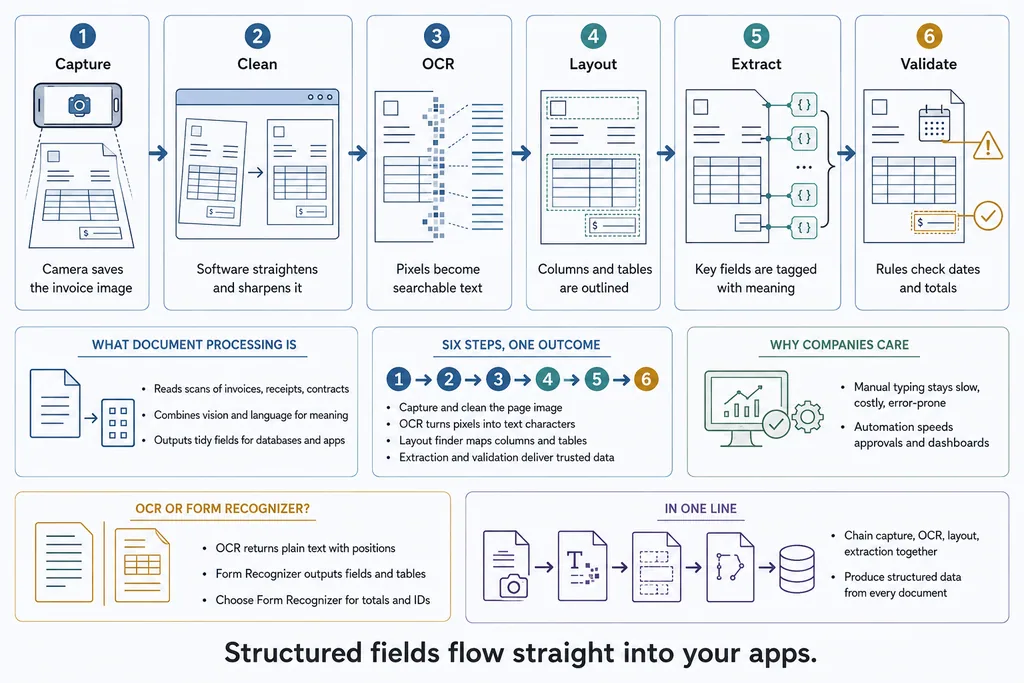
Every objective below is a page you can open and practise now, without an account.
The official CompTIA exam outline · checked 30 July 2026 · See the source
In front of every objective the practice pages are already there, free and without an account. This is one objective, opened.
27 questions on this objective, five to a page. Every range above is a real page, open now, with no account.
The curriculum tells you what is on the exam. Proving you know it is a different job — and it is the one the closed-book run does.
The whole bank is open. 5 questions to a page, every answer explained, and a discussion thread on each one.
Every objective, and every page range, is a link — so you can pick up exactly where you left off.
Short enough to finish, long enough to matter.
Not only which one is right — why the others are wrong.
Ask, answer, and vote. Every question has its own thread.
These are not trivia. Each one is written against a concept in the book, so when you get one wrong there is somewhere to go and find out why.
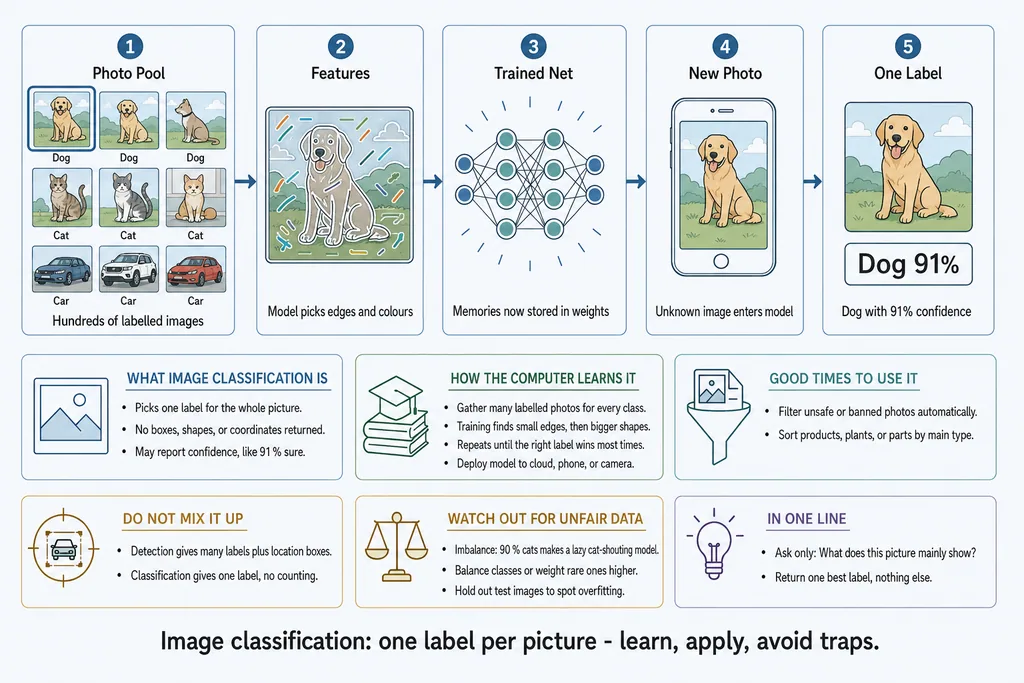
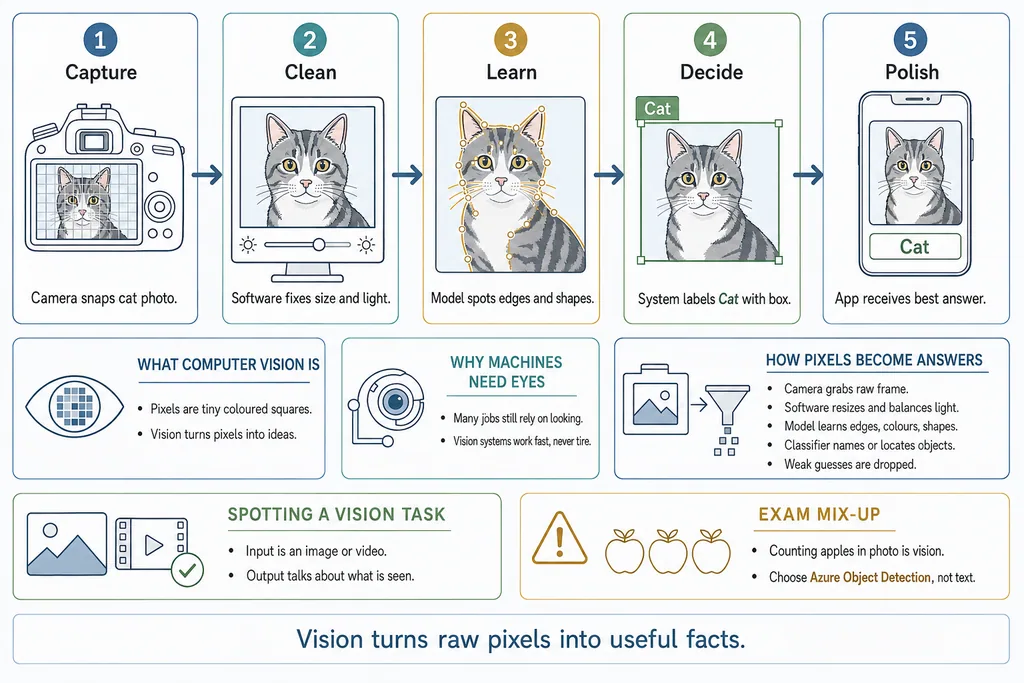
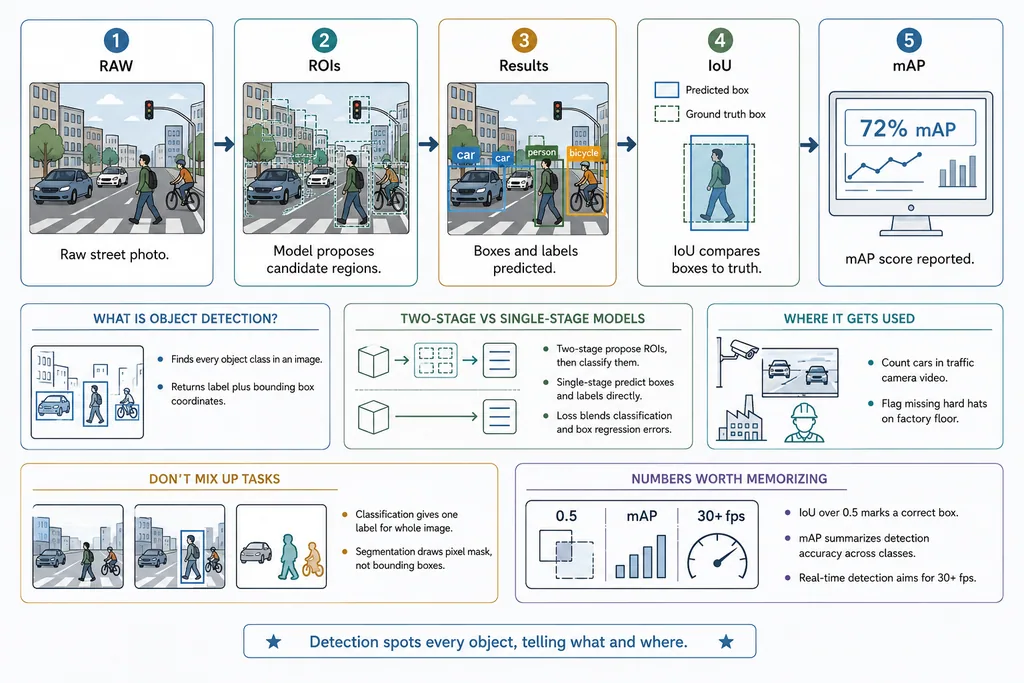
The pages shown here come from our AI-900 book — an example of how each concept is written in plain language and, where the idea needs one, drawn as a full page you can take in at a glance.
Three reasons, and each one is a real finding rather than a slogan.
You can see it againUnder pressure people bring back shapes and positions long after the wording has gone.
Picture superiority · Shepard 1967, Standing 1973The whole idea at onceWhere it starts, what happens in the middle, what comes out, and the mistake to avoid.
Multimedia principle · MayerThe look-alikes sit togetherThe pairs the exam tests are drawn side by side, so the difference is seen, not told.
Dual coding · PaivioYou are never asked to read a poster here — only to see how one is built. After that, every other page is legible at a glance.
The idea as a sequence, followed with a finger before a word is read.
What it is, how the machine learns it, when it is the right tool.
The distinction the exam tests, given its own box instead of buried in prose.
The sentence to carry into the exam room.
This is the part that teaches. The illustration and the written explanation stay where they are while you work, so a scenario stops being a memory test and becomes something you can simply look at.
A smartphone uses AI to unlock when the owner looks at the camera. Which AI capability is being used?
The same questions come back with the book closed — that run is the one that counts. After it, your coach picks one thing for tonight, sized to the time you have, and brings pages back before you lose them.
Testing effect · Roediger & Karpicke 2006 · spacing effect · Cepeda et al. 2006
Straight from CompTIAWhere the exam is defined, scheduled and scored.
We link to them rather than repeat them, so nothing here goes stale behind them.
We build from the official skills outline, not from a summary of it — 29 objectives, 162 concepts written under them, and free questions against every one. When CompTIA changes the outline, this page changes with it.
That is the only question worth answering the night before, and no link answers it. You answer it by taking the questions with the book closed, and seeing what comes back.